

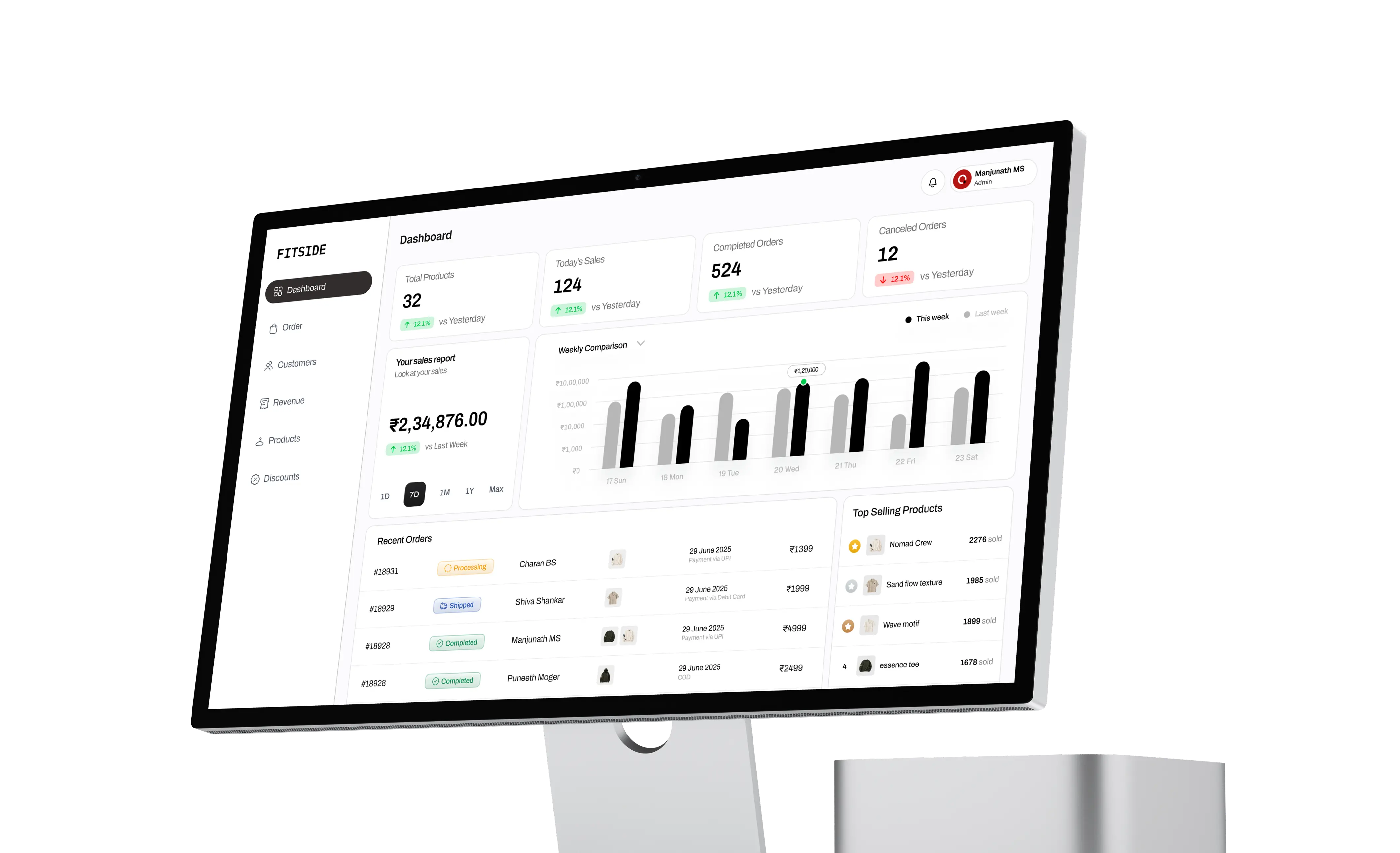
The starting point
Selling is the fun part. Managing everything? Not always.
Behind every product listing and customer order is a whole lot of information to keep track of.
The challenge was to create an admin experience that makes store operations easier to navigate, helping administrators access important information without getting lost in the details.
The approach
Less hunting. More handling.
We focused on organising the dashboard around clear information hierarchy, intuitive navigation, and easily scannable data.
The idea was simple: put the right information in the right place, reduce unnecessary complexity, and make everyday management tasks easier to access.
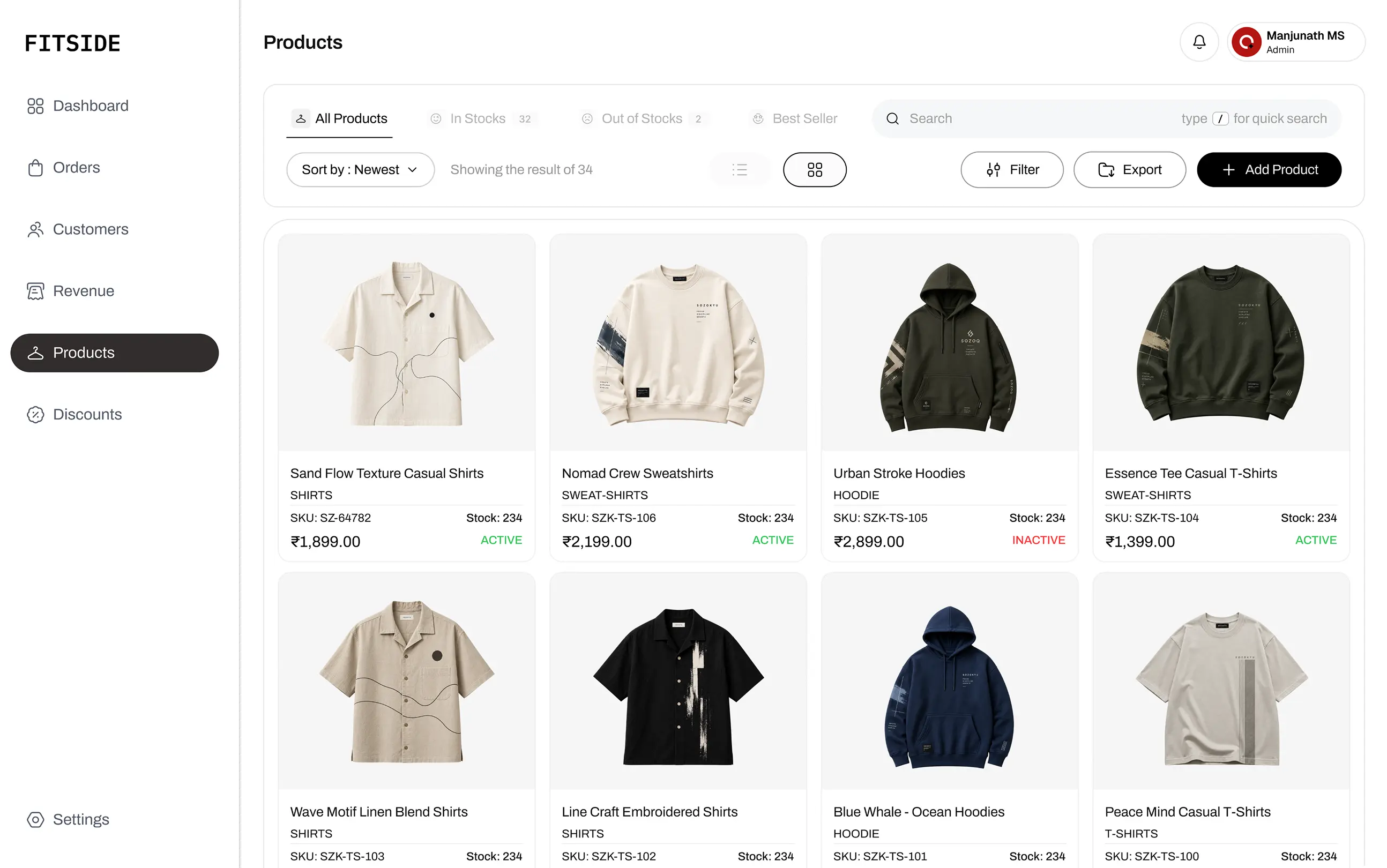
The interface
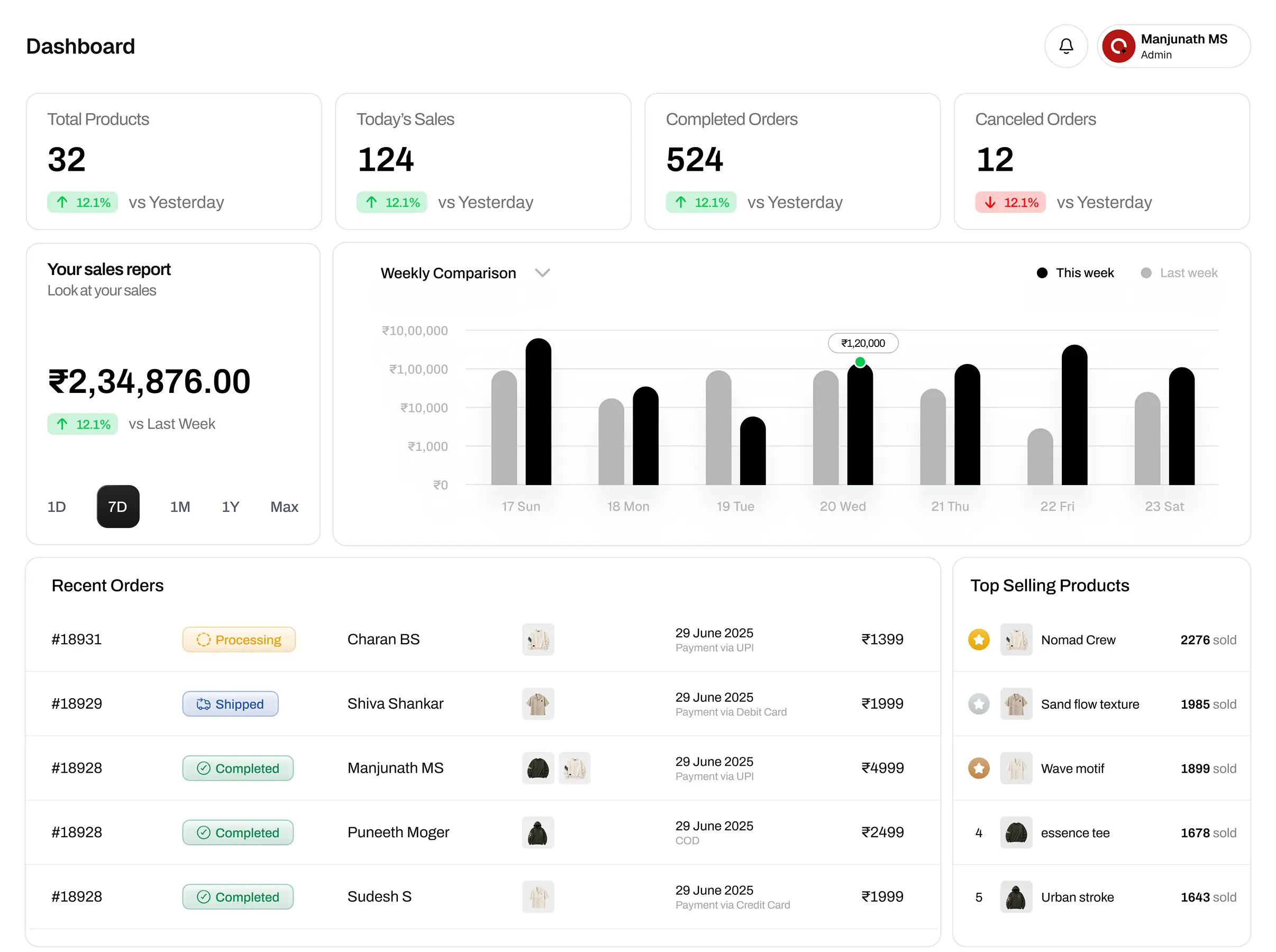
All the important stuff. One home.
A dashboard should answer questions before administrators have to go looking for them.
We approached the interface with a structured layout that gives key information its own space and keeps navigation consistent across the experience.
The result is an interface designed to make store management feel more organised and less overwhelming.
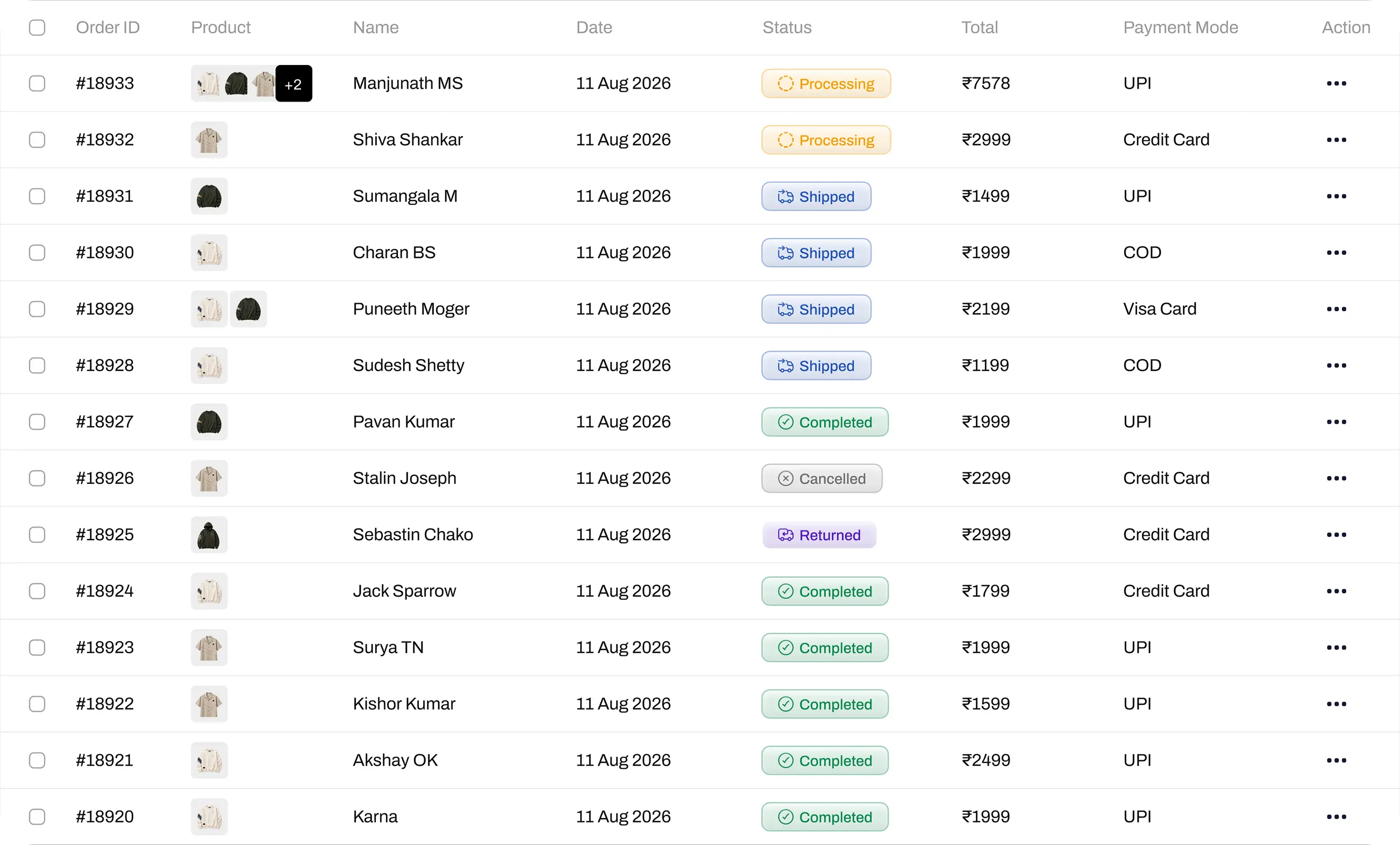
The experience
Products, orders, and everything in between.
E-commerce management involves multiple moving parts. The interface needs to make switching between tasks feel natural rather than turning every action into a mini adventure.
The design focuses on clear navigation, consistent layouts, and readable information so administrators can move through their workflows with less friction.
Under the hood
Organised on screen. Thoughtful behind the scenes.
A good admin dashboard is more than a collection of cards and charts. Its structure needs to support the way information is organised and how administrators interact with it.
We focused on a consistent interface system, reusable design patterns, and a layout that can accommodate different types of operational information.
The goal? A dashboard that feels cohesive today and is easier to extend tomorrow.
The final build
From storefront to control room.
The admin dashboard brings the operational side of Fitside into a dedicated workspace, giving the store a foundation for managing its e-commerce activities.
It's not the flashy side of fashion—but it's the side that helps keep everything moving.
What's next?
Better systems. Smoother operations.
As the store evolves, the dashboard can evolve with it. Further improvements could include more detailed reporting, smarter inventory insights, and streamlined administrative workflows.
Because the best dashboard isn't the one with the most charts. It's the one that makes the work easier.